ItemFits for furniture retailers on Shopify: Know if the furniture fits before the truck arrives.
ItemFits puts a Will it fit? check on your Shopify product pages. The sizes come from your catalog; the shopper measures their doorway, stairs or room. Fit problems show up before the order, not on delivery day.
Watch the 6-minute product tour- Product pages, cart and chat
- Doorways, hallways, stairs, elevators, rooms
- No code: Shopify theme app blocks
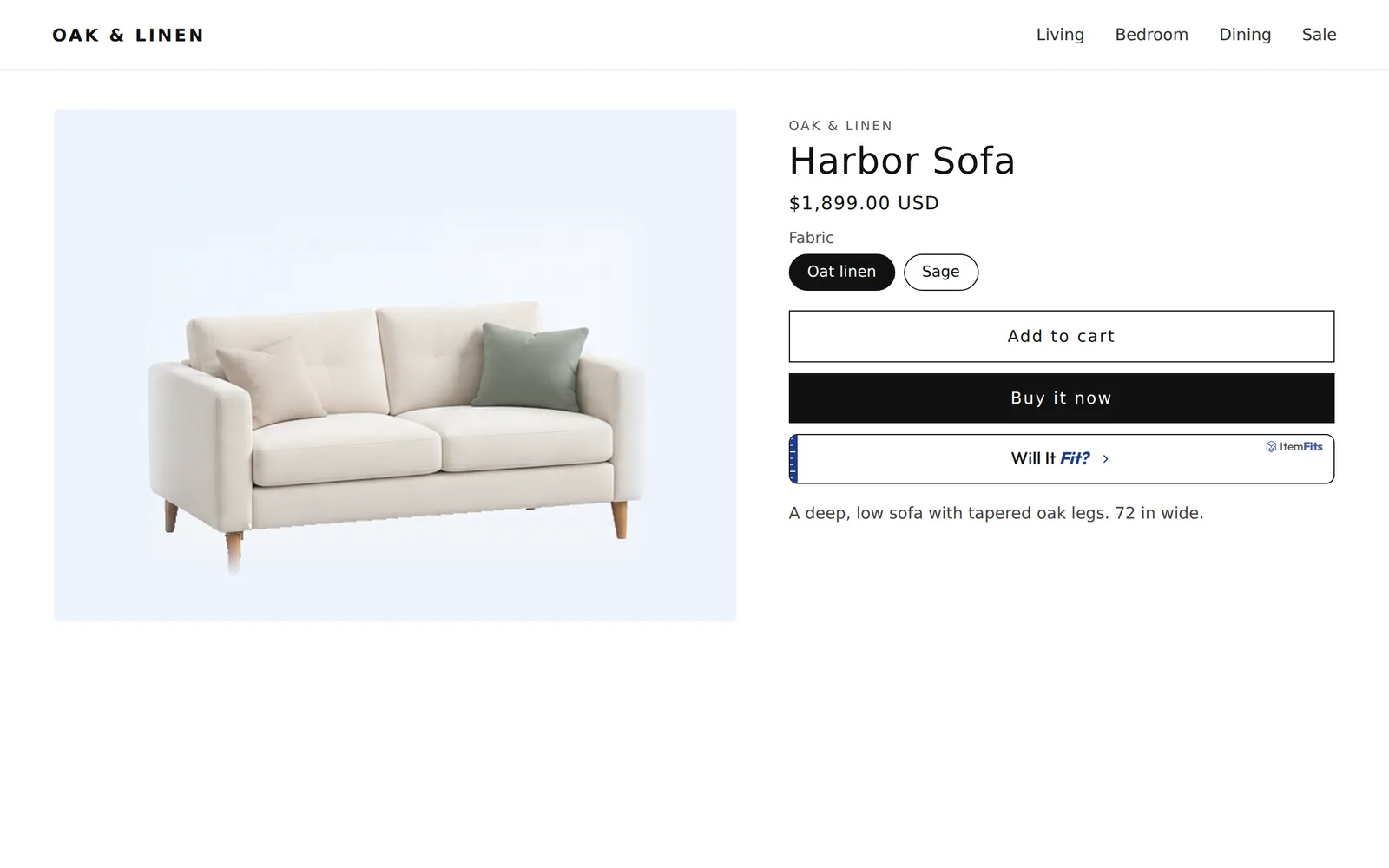
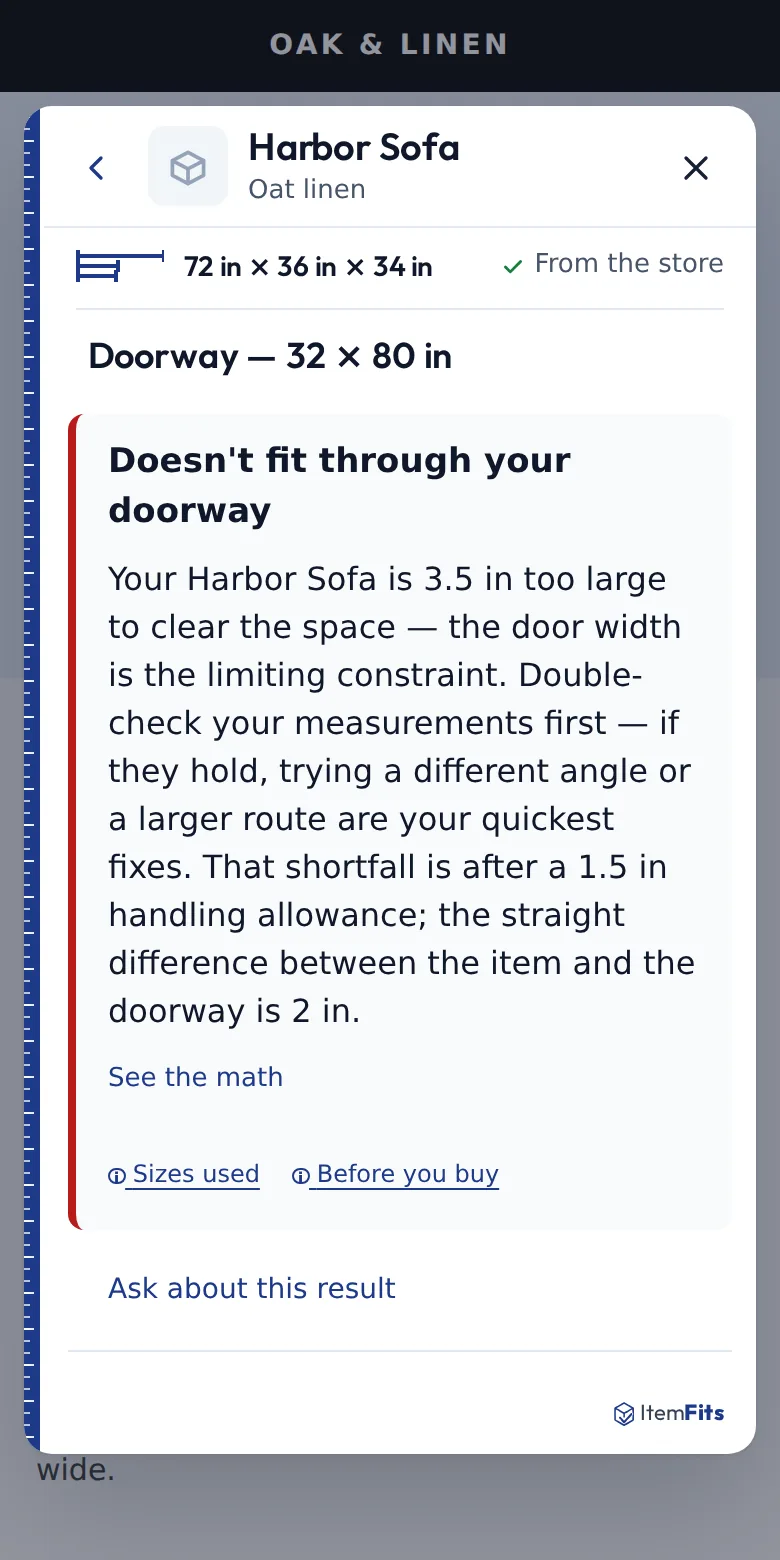
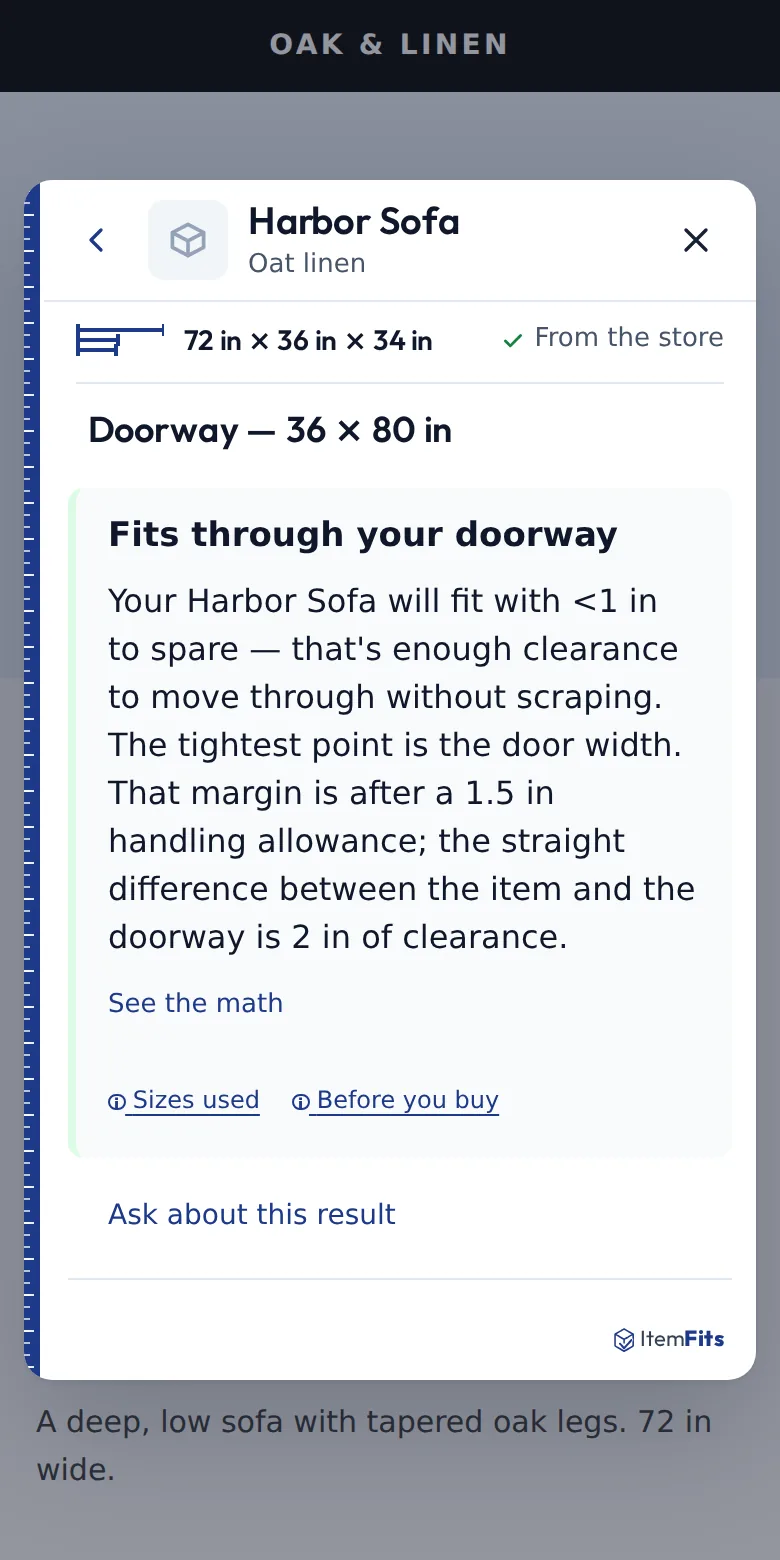
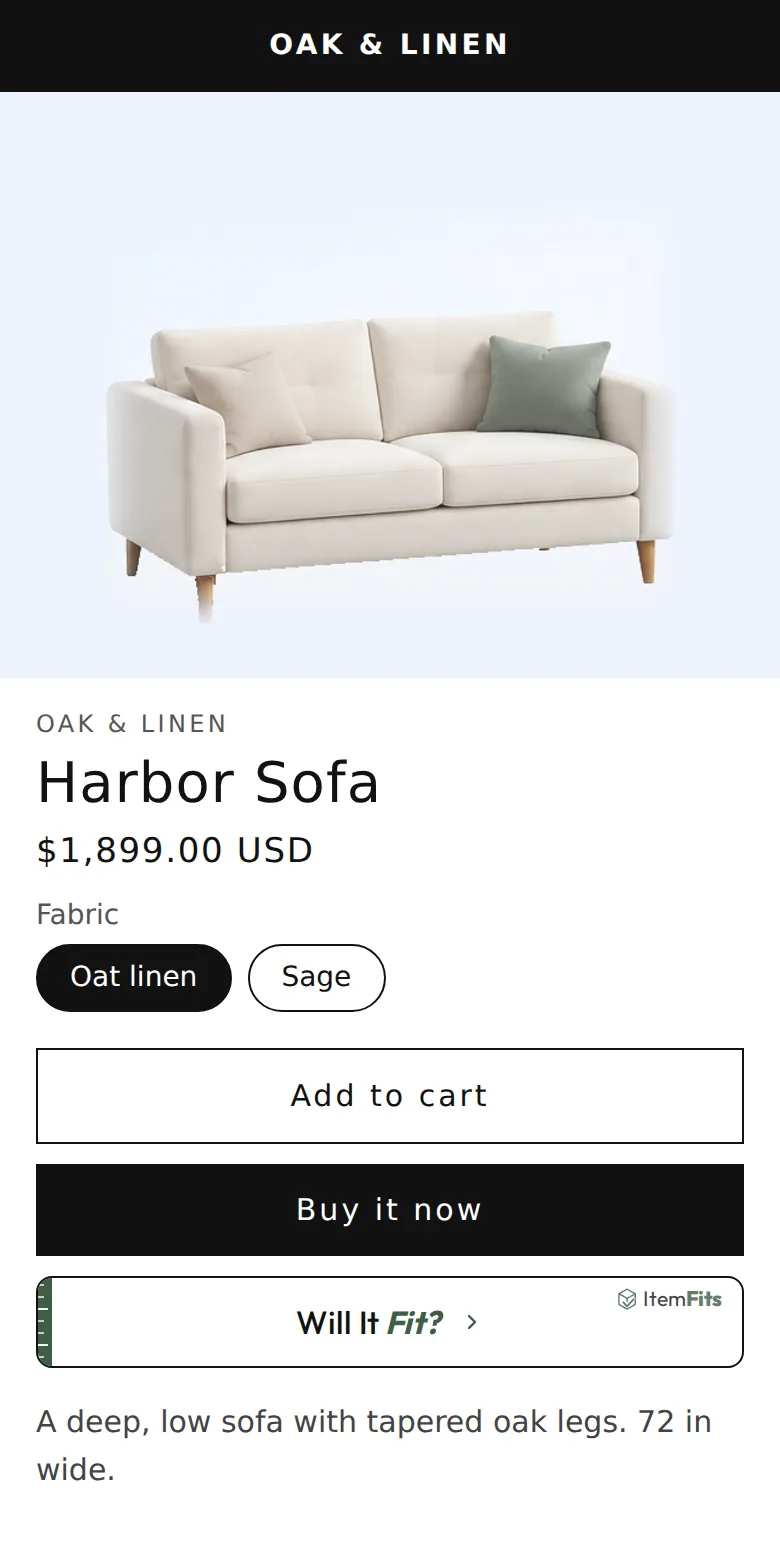
A demo store. The answer on the phone is the real ItemFits result for a 72 × 36 × 34 in sofa and a 32 in doorway: 3.5 in too wide once a handling allowance is included.
- You know the furniture.Its width, depth and height are already in your catalog.
- Your customer knows their home.Their door, hallway, stairs and elevator.
- ItemFits connects the two.A fit check on the page they are already buying from.
Product tour
From install to a working fit check, in six minutes.
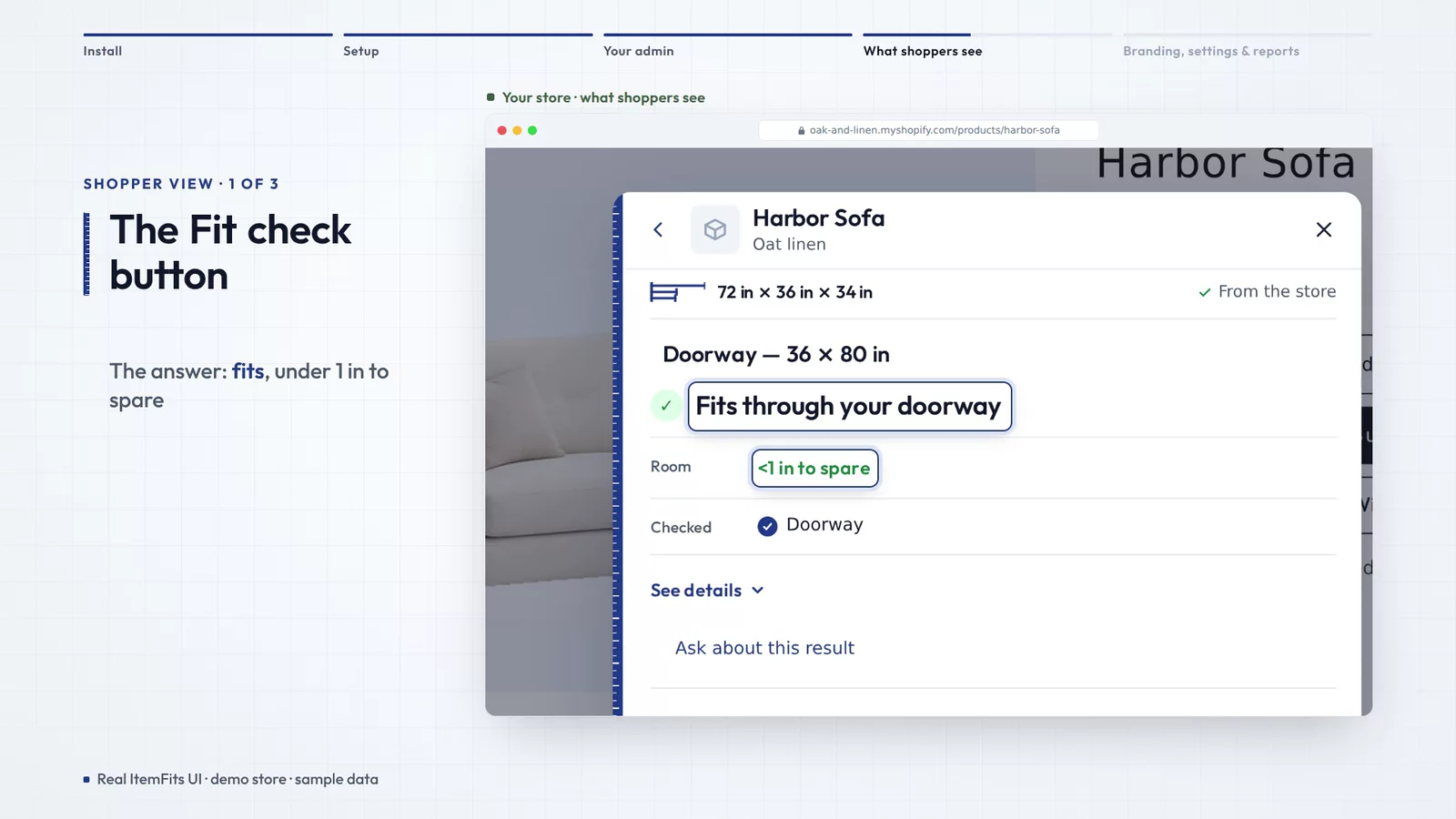
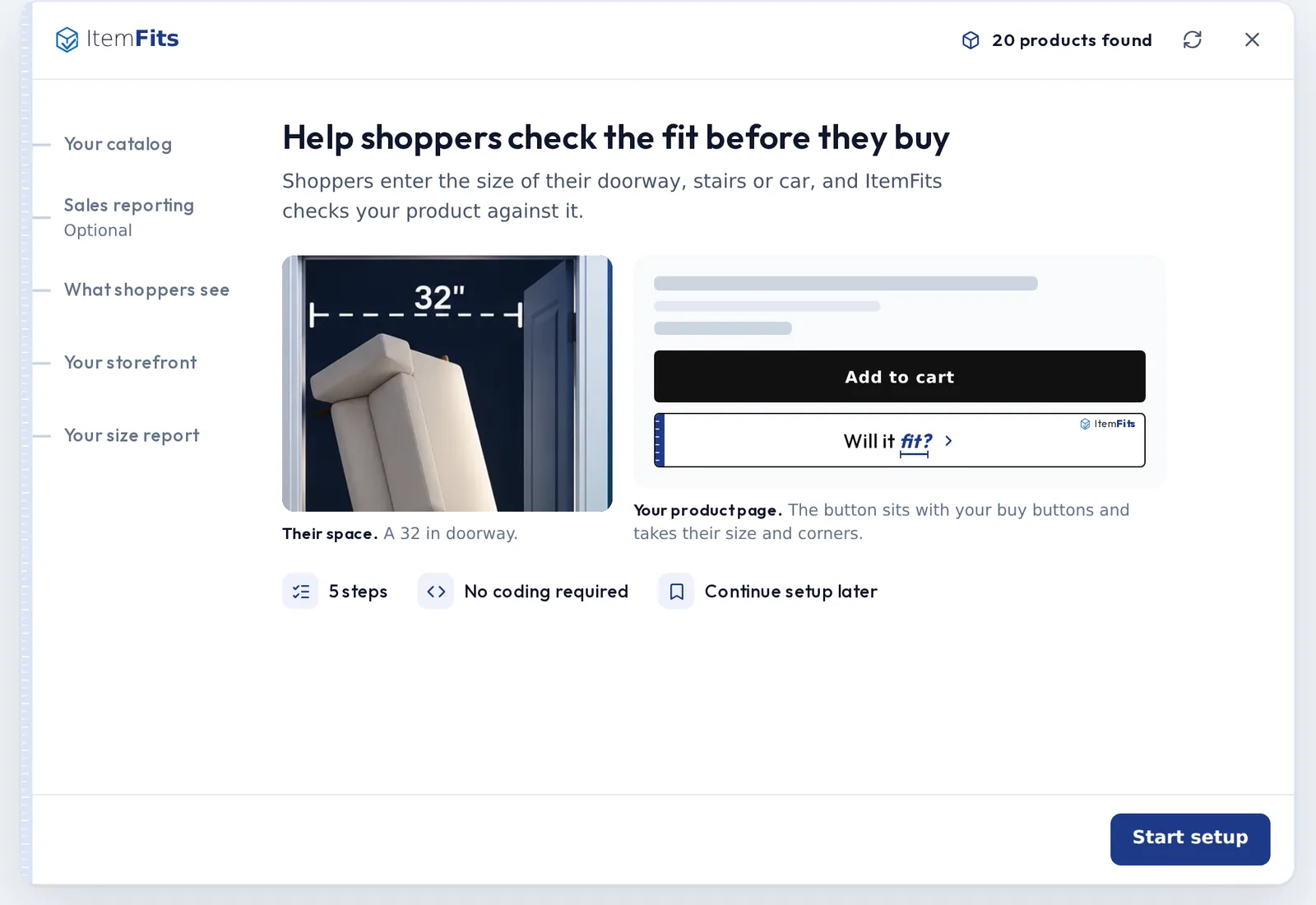
Watch a demo store install ItemFits, run the five-step setup, approve product sizes, and see what shoppers get on the product page, in chat and in the cart.
How it works
Three steps, and your shopper only does one of them.
Designed to take the guesswork out of measuring, and to help reduce fit-related returns, refused deliveries and “will it fit?” support questions.
Your catalog knows the furniture
ItemFits reads the sizes already in your Shopify listings, including each option’s size, and you approve them.
Your customer measures their space
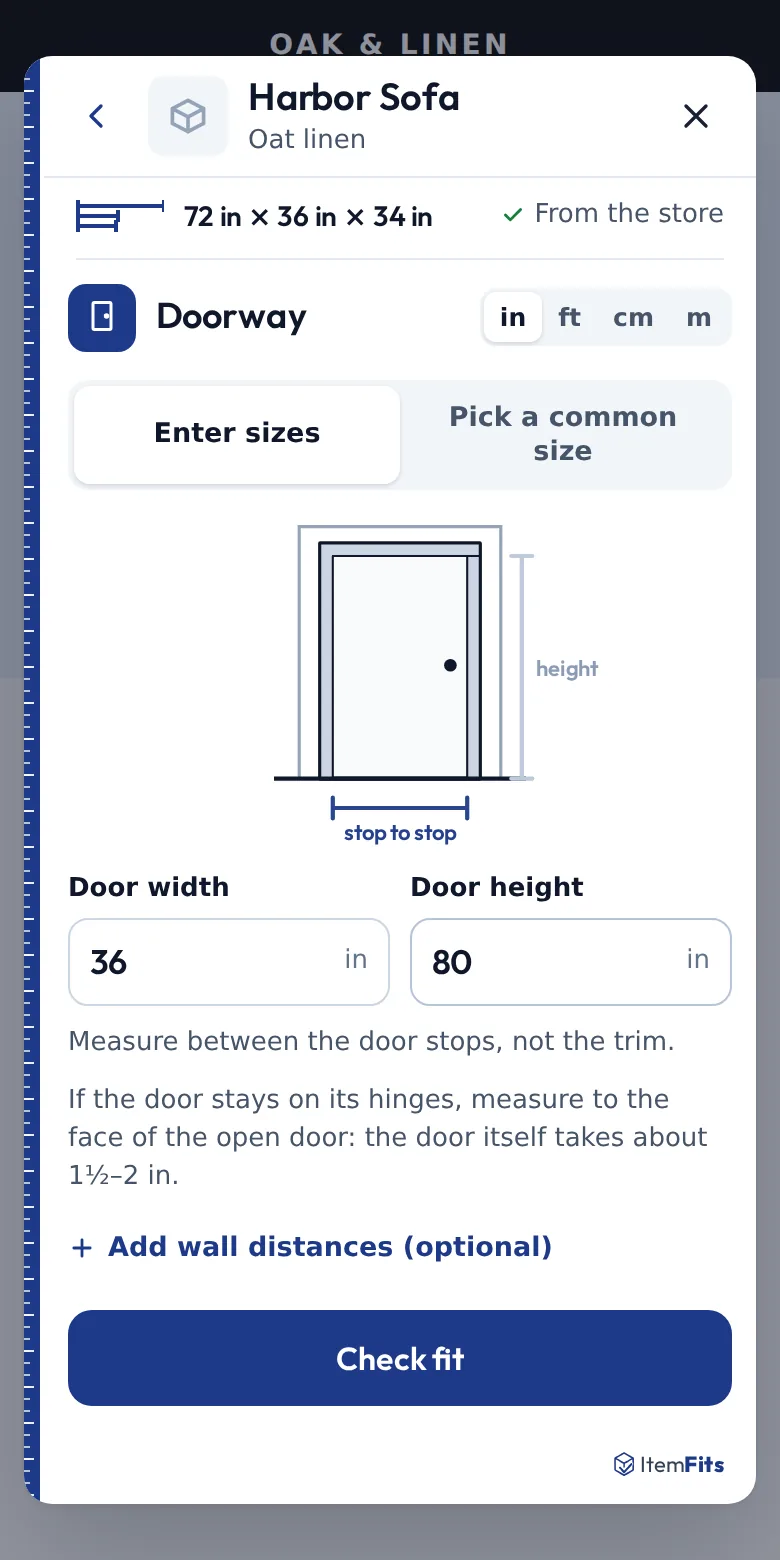
A doorway, hallway, stairs, elevator, room or vehicle. The form shows what to measure and where.
ItemFits checks the fit
A plain answer with the tightest point, the numbers behind it, and what to measure again.
Built into your store
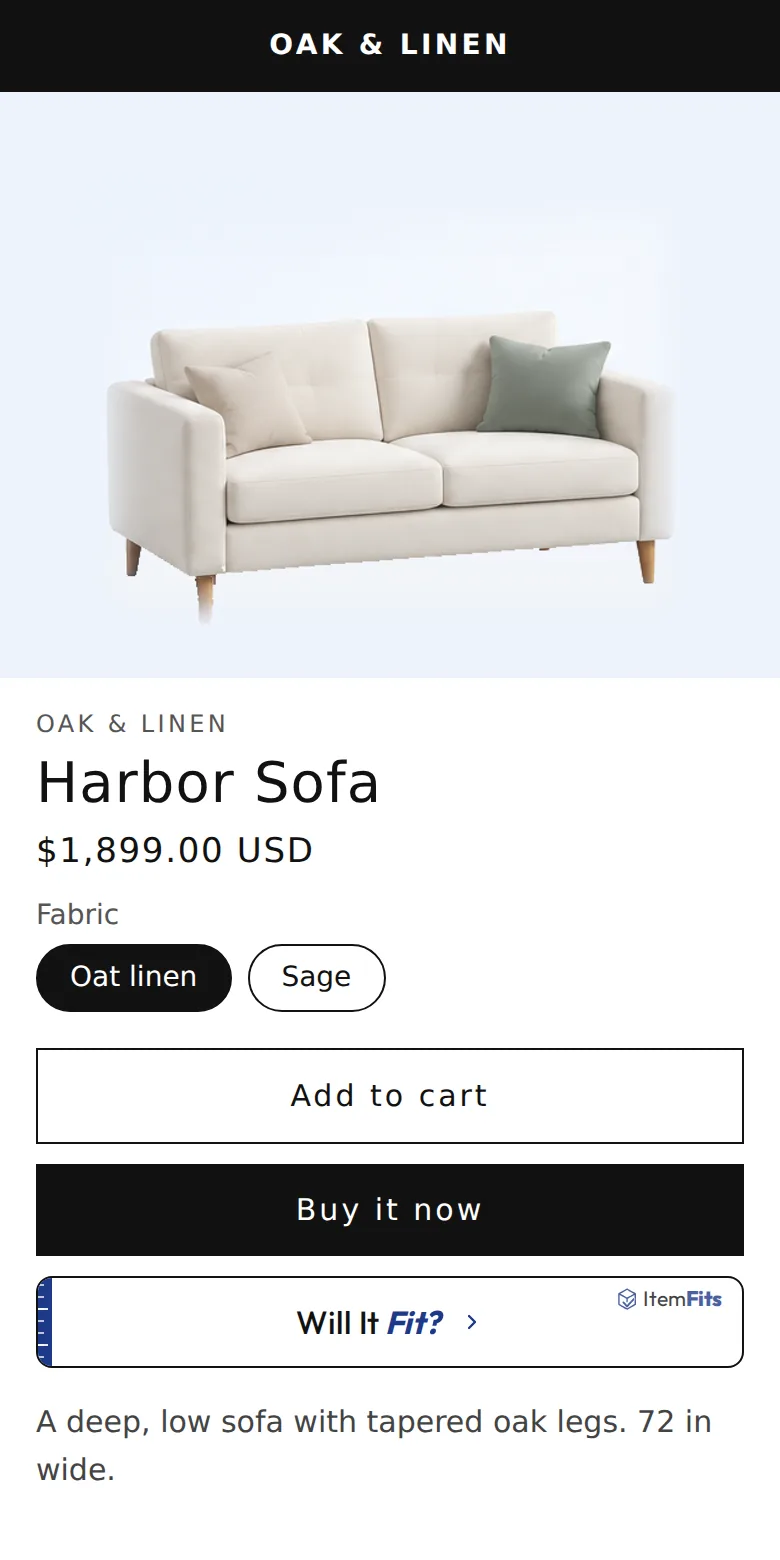
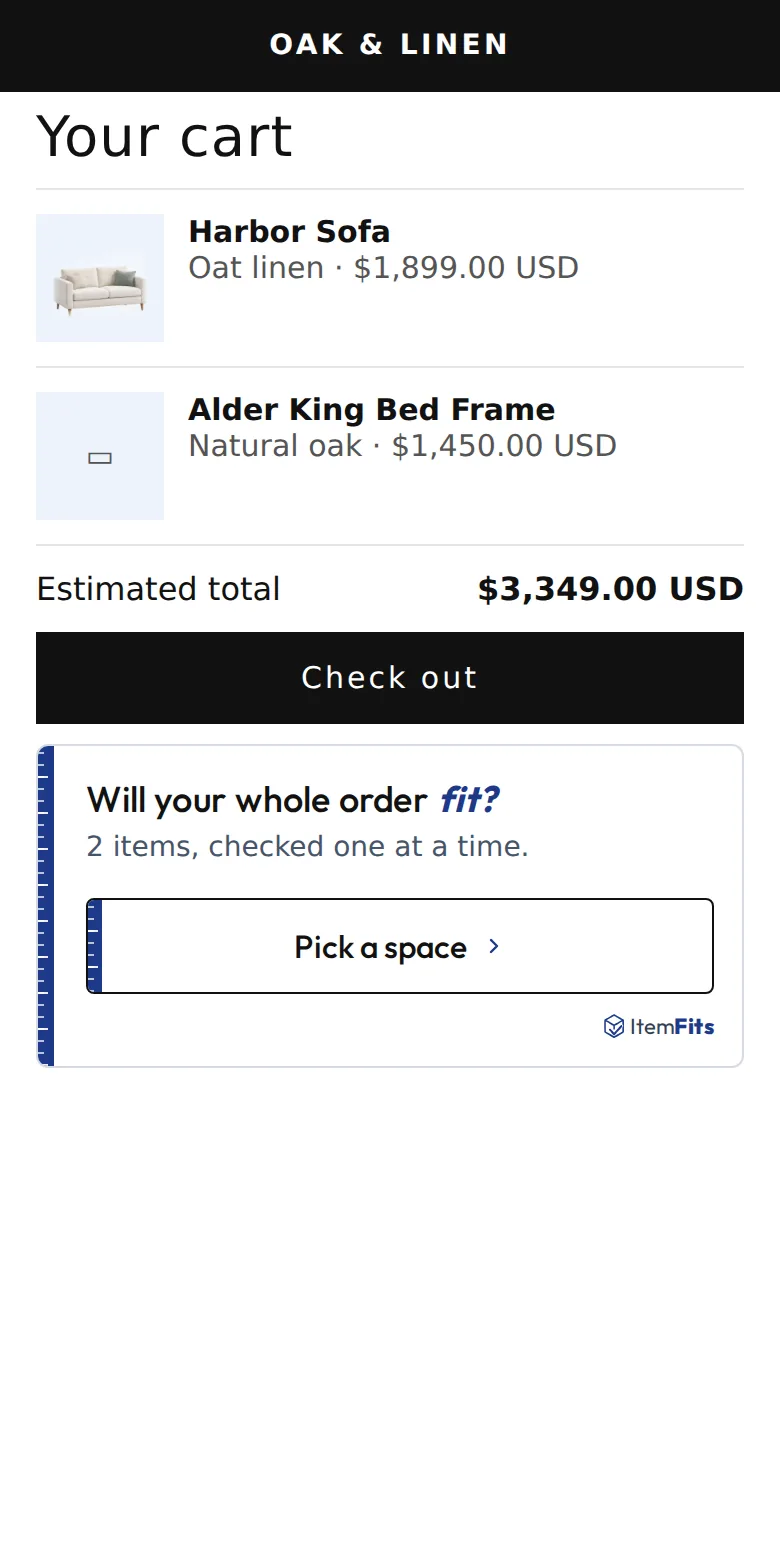
Fit checks where shoppers already shop.
ItemFits already knows which product the shopper is looking at, so nobody searches for a SKU or retypes a size.
Natural questions
Shoppers ask the way they talk.
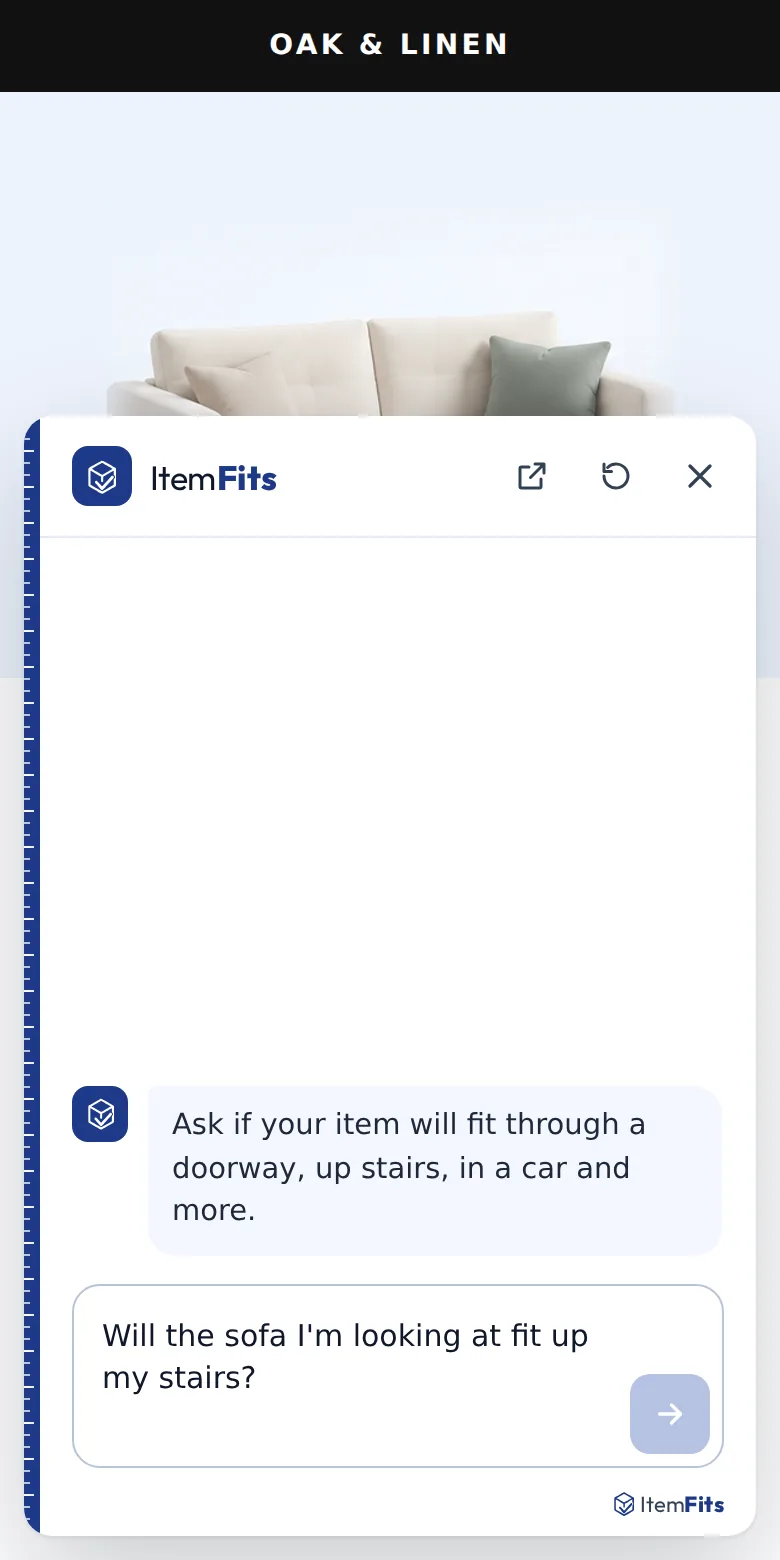
Not everyone wants a form. The chat assistant takes the question as it comes and asks for what it still needs.
- “Will this fit through my front door?”
- “Can the dresser go up my stairs?”
- “Will the sofa I’m looking at fit in my SUV?”
- “Will the bed and the nightstands fit in a 10 by 12 room?”
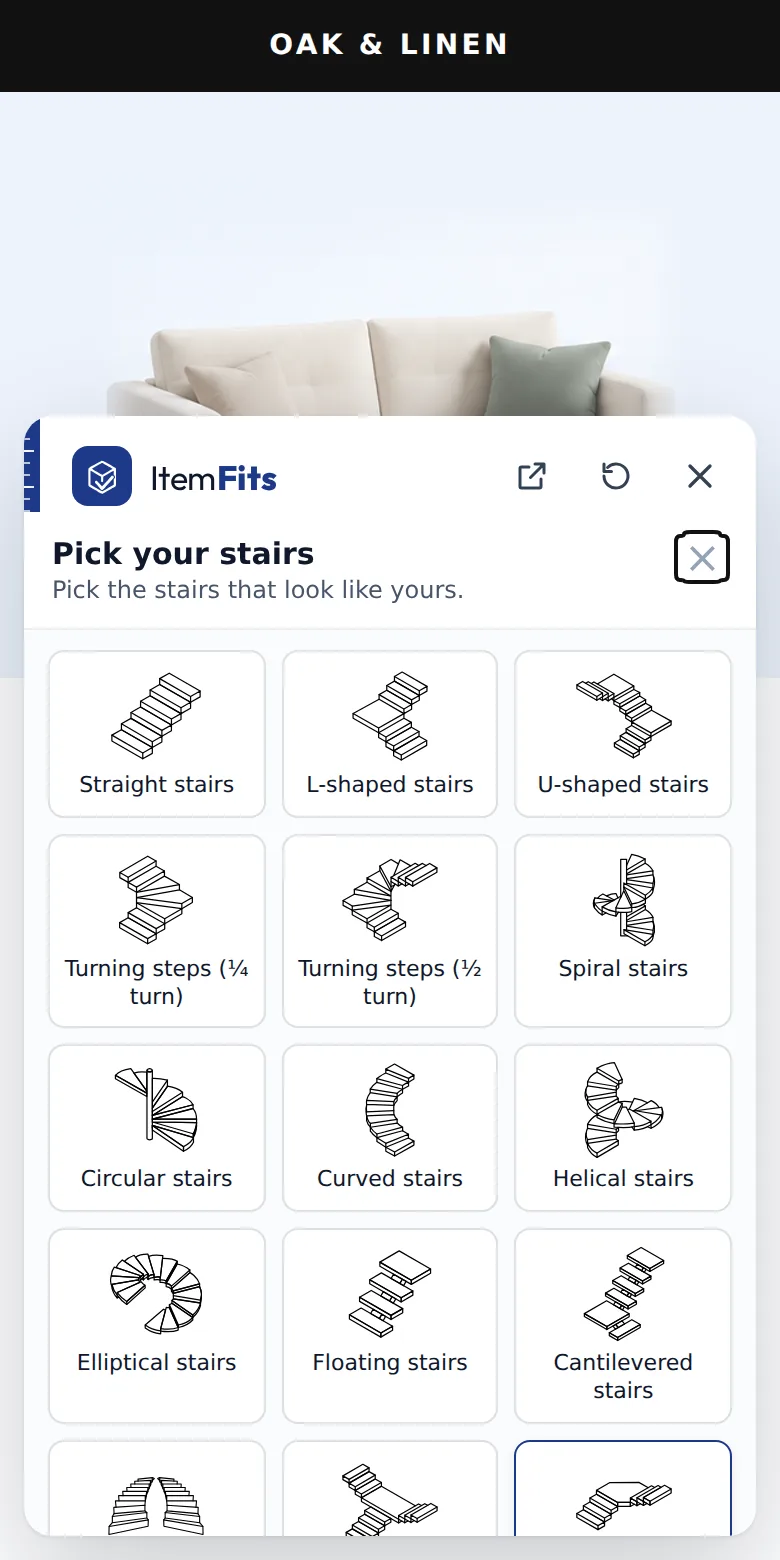
Here a shopper asks about stairs. Stairs come in many shapes, so the assistant asks which kind before it answers, rather than guessing.
Before you buy
Set expectations before delivery day.
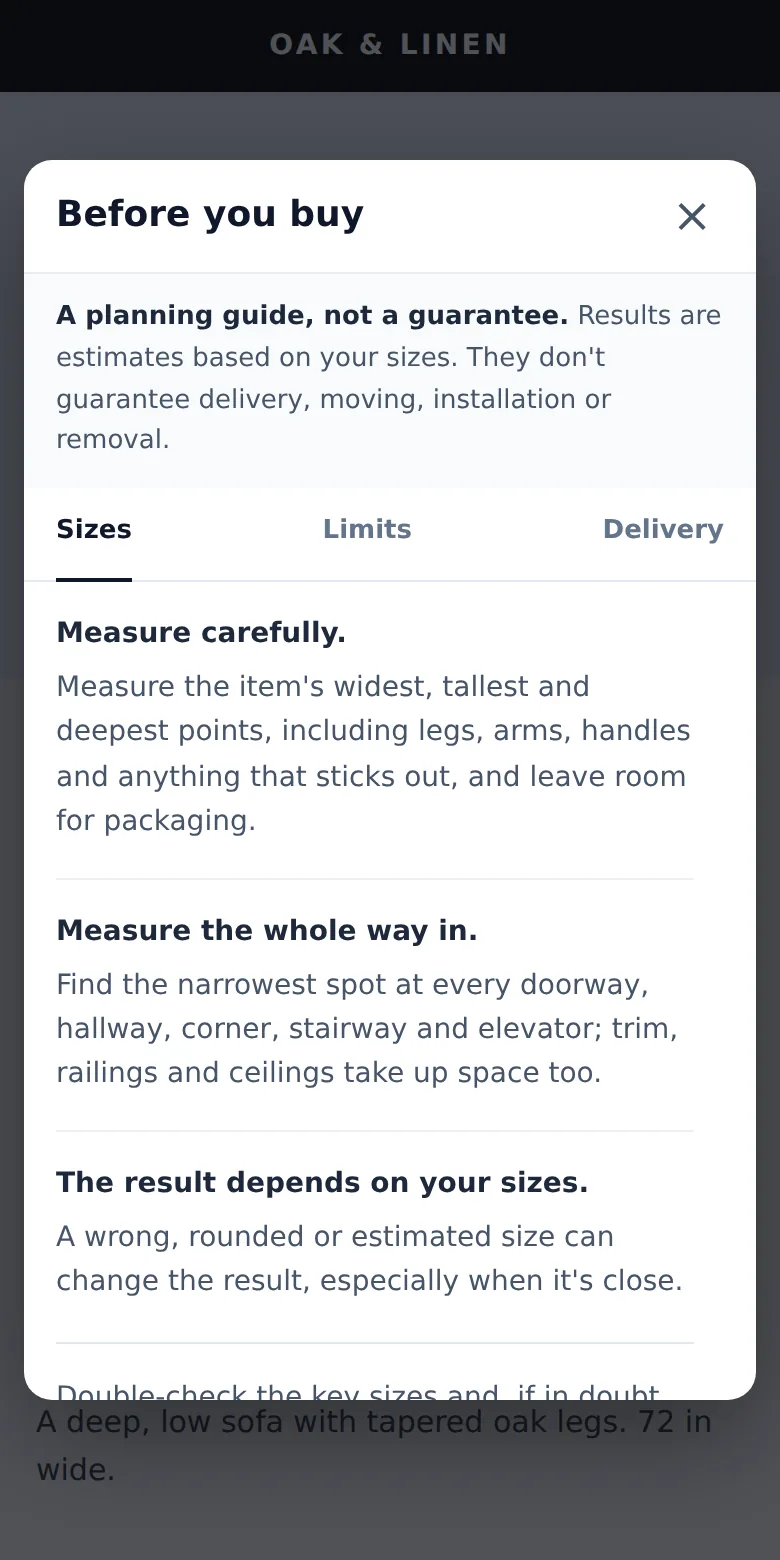
Every answer links to a short, plain Before you buy note, so a result is read as a planning check, not a promise.
- Measure carefully, including legs, arms and packaging.
- Measure the whole way in: the narrowest doorway, corner, stairway and elevator.
- Know the limits: soft or odd shapes and tilting can change a close result.
- Plan delivery day: clear the route, book the elevator, check your store’s delivery and return policies.
The whole loop
From a shopper’s question to what your team learns.
- Shopper sees ItemFitson the product page.
- Shopper checks the fitwith their own measurements.
- ItemFits answersand shows the tightest point.
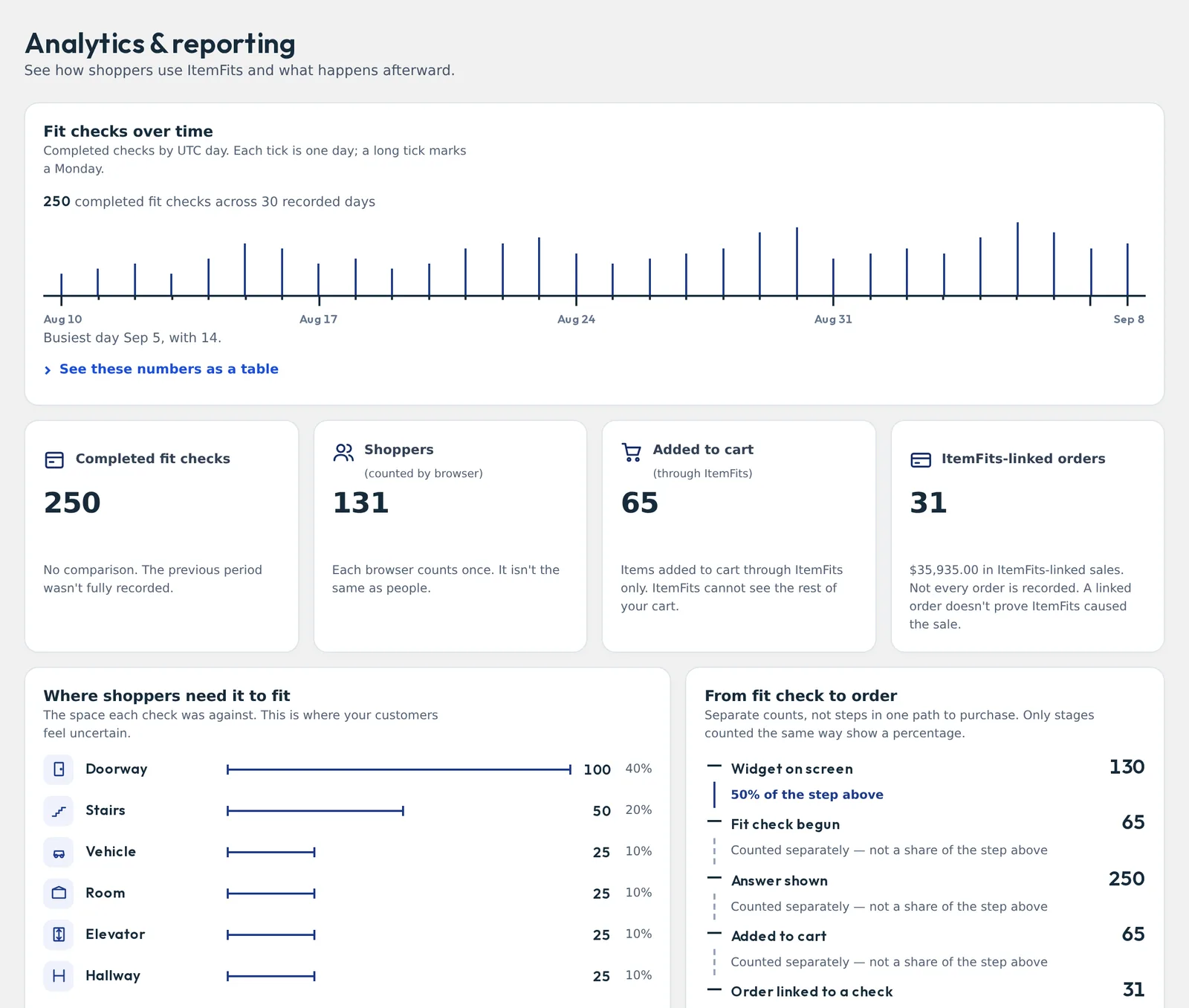
- Your team sees itin Analytics & reporting.
For your team
Your catalog. Your storefront. Your control.
ItemFits suggests; you decide. Sizes it finds wait for your approval, and you choose where it appears.
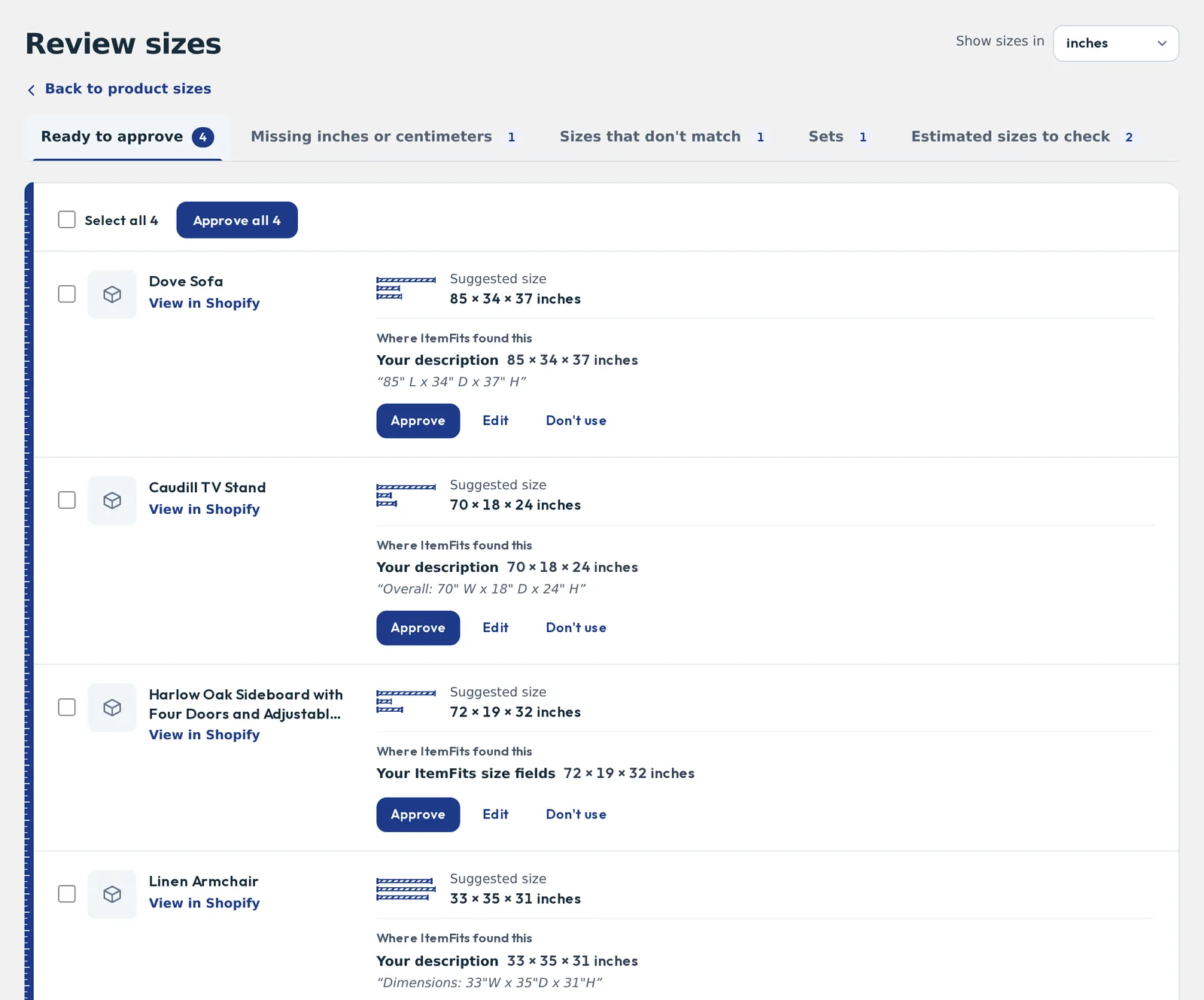
- Review product sizes found in your descriptions and product fields, with the source quoted.
- Fix gaps: missing units, sizes that disagree, estimates to check.
- Sizes per option, so a queen and a king are checked at their own size.
- Choose placement: product page, cart, chat assistant, each a theme app block.
- Shape the chat assistant: its wording and welcome message, and on supported plans, questions about your products only.
- Help customers who call: the staff Fit Finder lists every product that fits the space a customer measured.
Catalog health
Know which products are ready for fit checks, and which need attention.
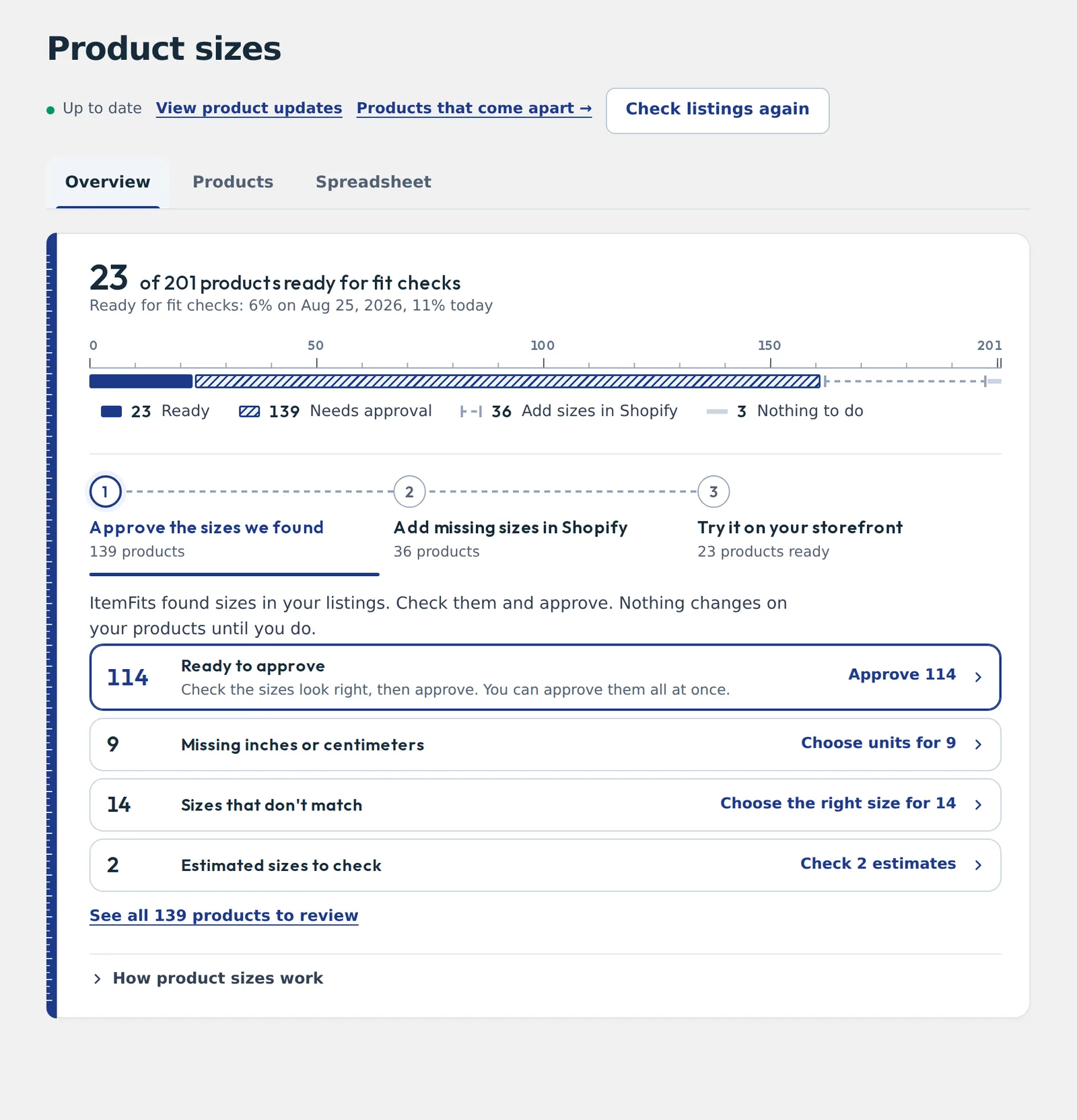
Product sizes shows how many products can answer a fit check today, and the next step for every one that can’t.
- Missing dimensions and incomplete products
- Sizes that don’t match between your description and your product fields
- Missing inches or centimeters
- Option-by-option differences, such as a queen and a king
- Estimates waiting for review before shoppers rely on them
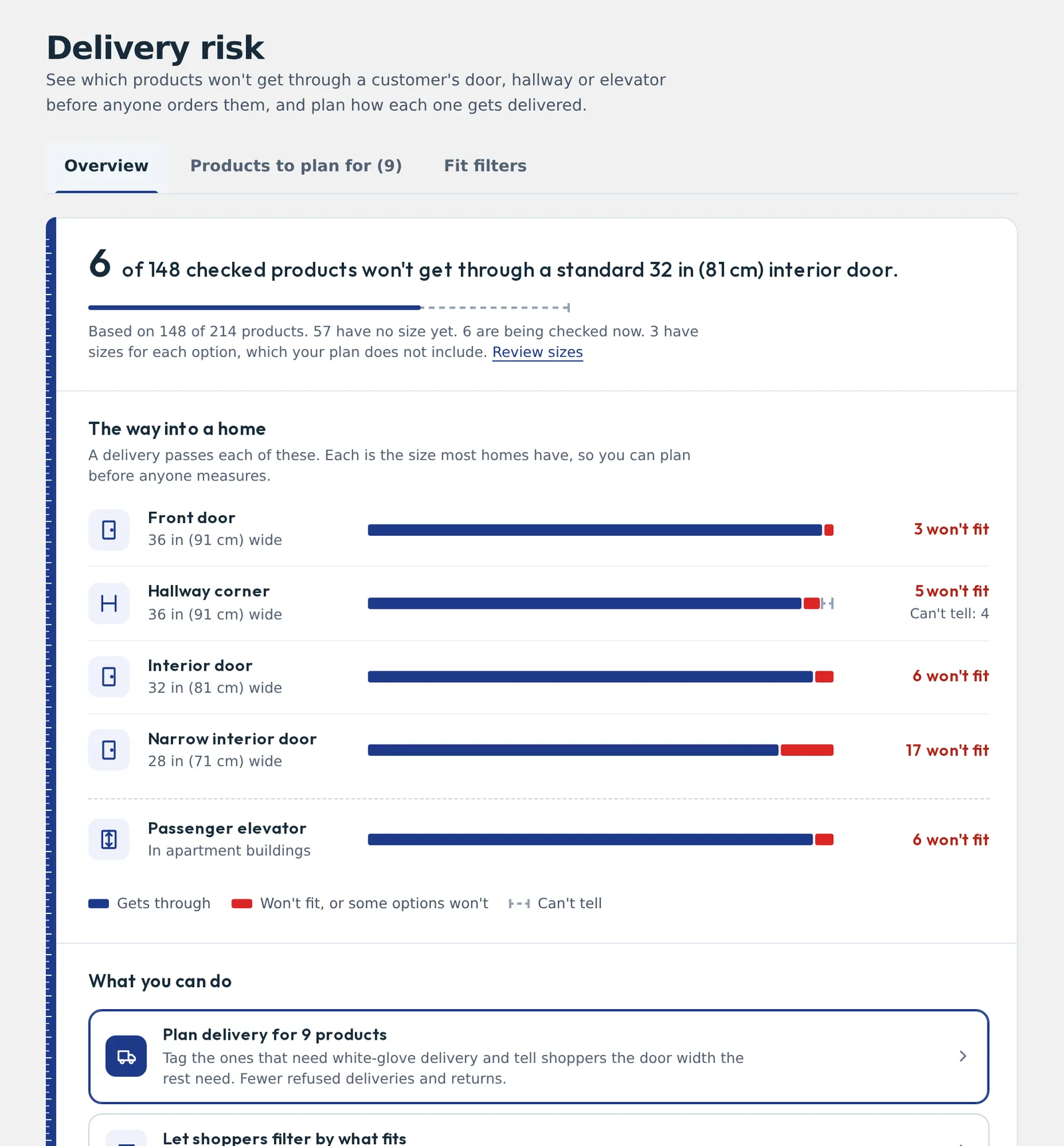
Plan deliveries before anyone orders.
The Delivery risk report checks your sized products against the doors, hallway corners and elevators most homes have, and lists the ones that won’t get through. Plan white-glove delivery for those, fix a size that looks wrong, or tell shoppers the door width they need.
Analytics & reporting
See what shoppers worry about before delivery.
Which products shoppers check, where they need them to fit, which checks come back as a problem, and what they asked.
- Completed fit checks over time, by product and by space: doorway, stairs, elevator.
- Products with fit problems, so you can fix a size or plan a delivery.
- Shopper questions and the answers they were given.
- Orders linked to an ItemFits check. A linked order is one placed after a shopper used ItemFits. It shows association, not that ItemFits caused the sale, and the report says so.
Store branding
Your brand in front. ItemFits underneath.
On the Pro plan, the button, the fit dialog and the chat assistant carry your store’s name, logo, color and wording. A small “Powered by ItemFits” credit is yours to show or hide.
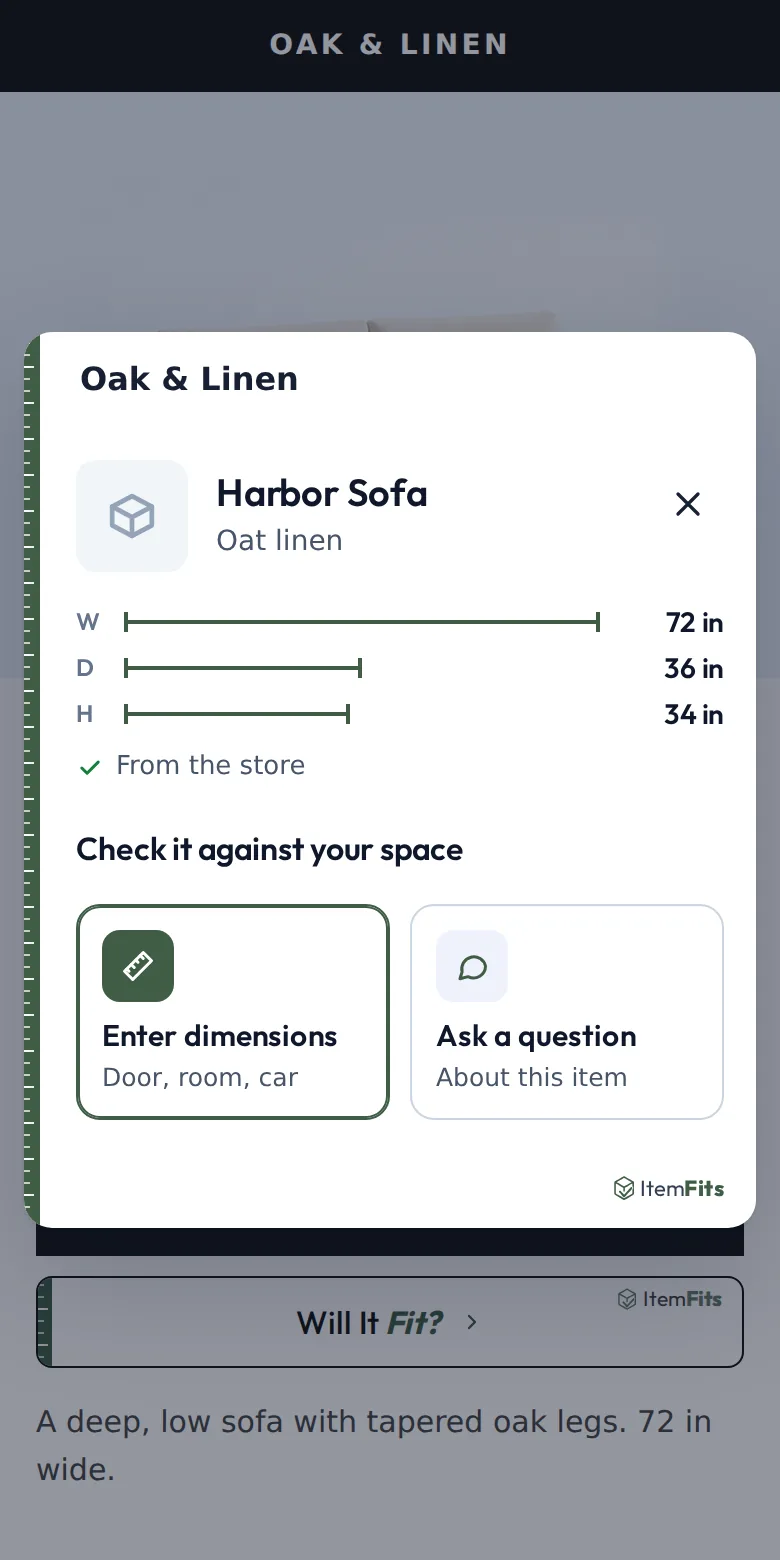
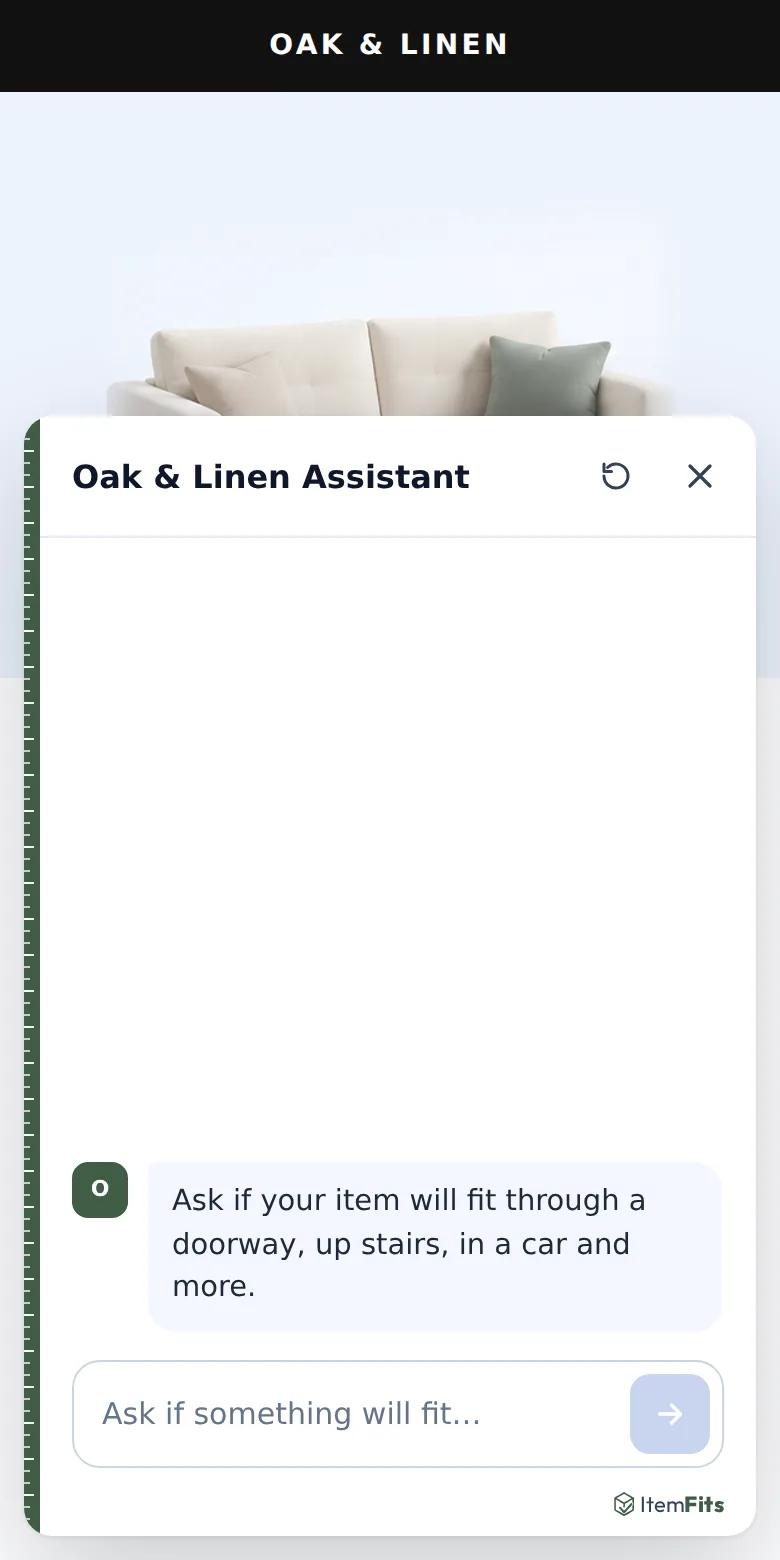
Configure the customer-facing name, logo, accent color, button wording and welcome messages, separately in English and Spanish.
English and Spanish
Serve shoppers in English and Spanish.
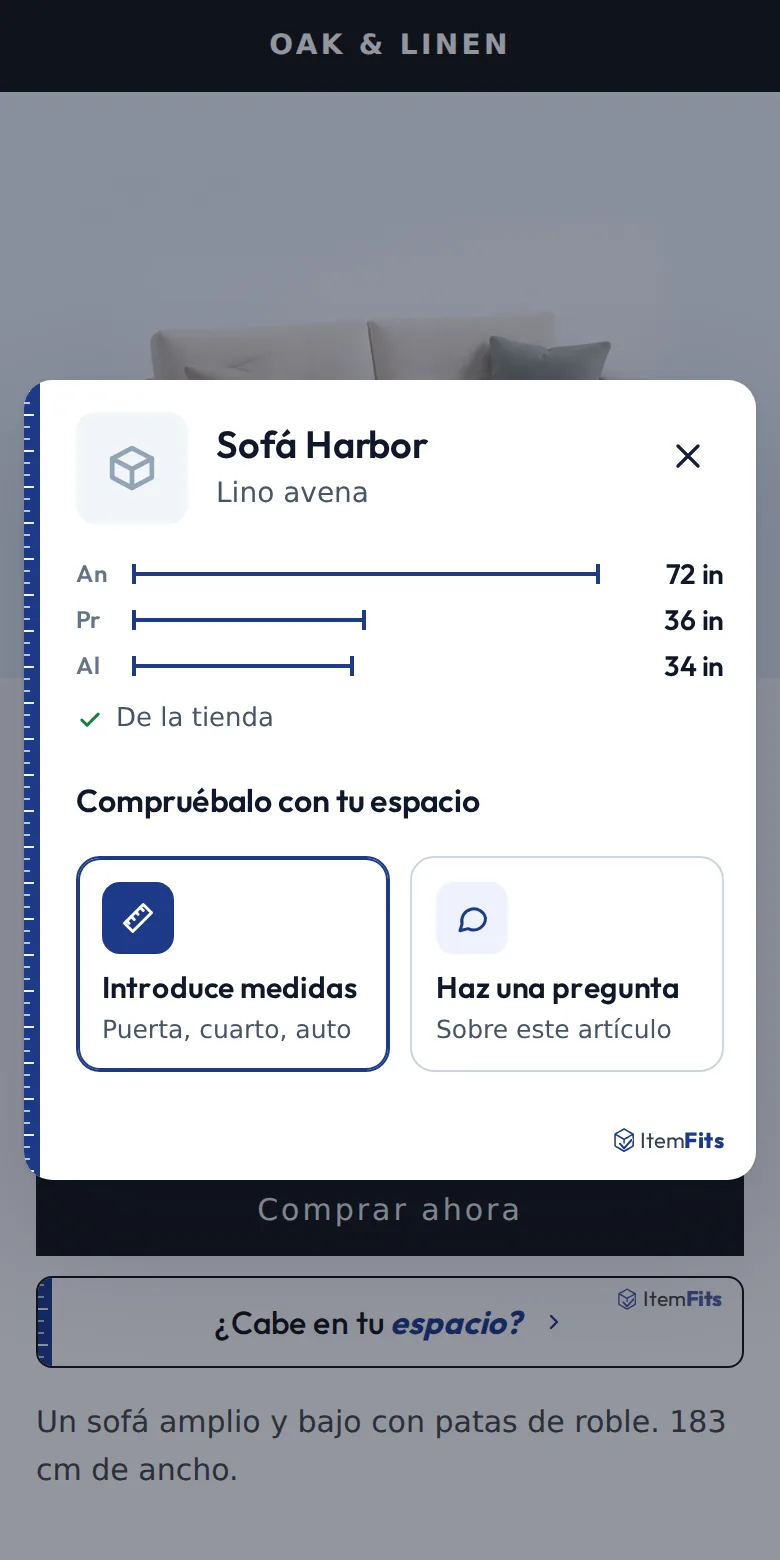
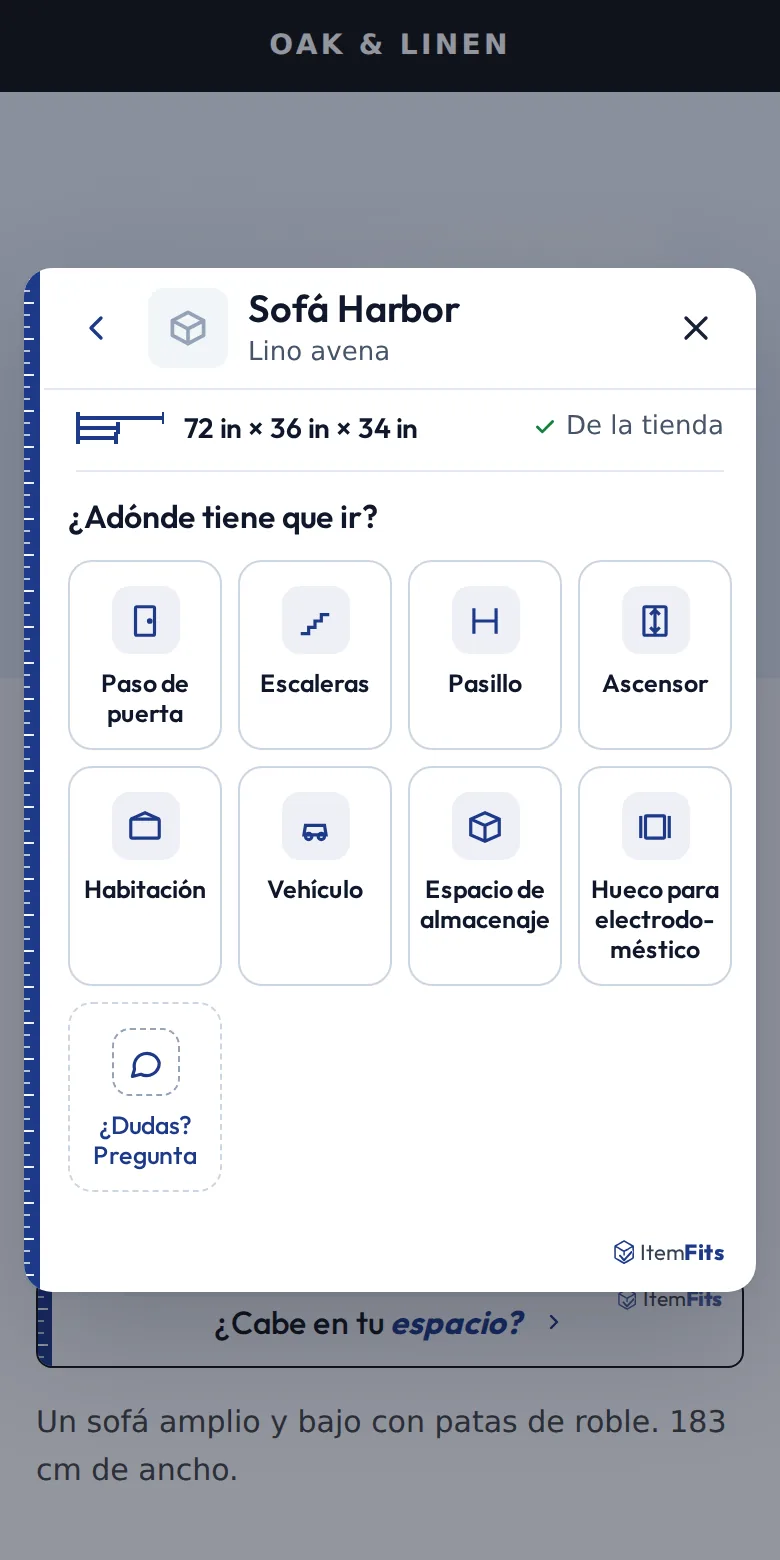
The fit check, its answers and the chat assistant follow the shopper’s language. Your admin can be in either language too.
What it’s for
Made for the pieces that don’t go through every door.
- Sofas and sectionals
- Beds and headboards
- Mattresses and box springs
- Dressers and chests
- Cabinets, sideboards and hutches
- Dining tables
- Recliners and chairs
- Bookcases and armoires
- Desks
- Large mirrors and décor
Sets travel in pieces
A bedroom set, a dining set or a sectional does not go up the stairs as one box. When your listing has each piece’s size, ItemFits checks a set piece by piece:
- Through a doorway, hallway, stairs or elevator, every piece has to get through, and the answer names the piece that won’t.
- In a room or a vehicle, the pieces are checked together in the space.
- Pieces that come apart: when you declare that legs come off or a sectional separates, a piece that misses as it is can be re-checked the way you said it can be delivered. ItemFits never assumes it.
Setup
From install to storefront without rebuilding your store.
- Install ItemFits from the Shopify App Store.
- ItemFits reads your catalog and finds the sizes in your listings.
- Approve the sizes, fix any gaps, and check the ones it estimated.
- Add the Will it fit? button to your product page in the theme editor. No code.
- Add the extras you want: the cart check, the chat assistant, your branding.
- Try it as a shopper, then watch results in Analytics & reporting.
Help customers answer “Will it fit?” before delivery day.
ItemFits adds fit checks to the Shopify store you already have: your product pages, your cart, your catalog. Tell us about your store and we will show you how it would work on it.
Prefer email? partnerships@itemfits.com
Want to try the shopper side first? Check a piece of furniture yourself.
Questions
What furniture retailers ask us.
What is ItemFits for Shopify?
A Shopify app that adds a Will it fit? check to furniture product pages, the cart and a chat assistant. It uses the dimensions already in your catalog and the shopper’s own measurements of their doorway, hallway, stairs, elevator, room or vehicle, and answers whether the piece fits, where it is tightest and by how much.
Where do the furniture dimensions come from?
From your catalog. ItemFits reads the sizes in your Shopify listings (product fields, metafields and product descriptions) and asks you to approve what it found. Nothing changes on your products until you approve it, and you can edit or reject any size. Products without a usable size keep selling as usual; they just do not show a fit answer until they have one.
What does the shopper have to do?
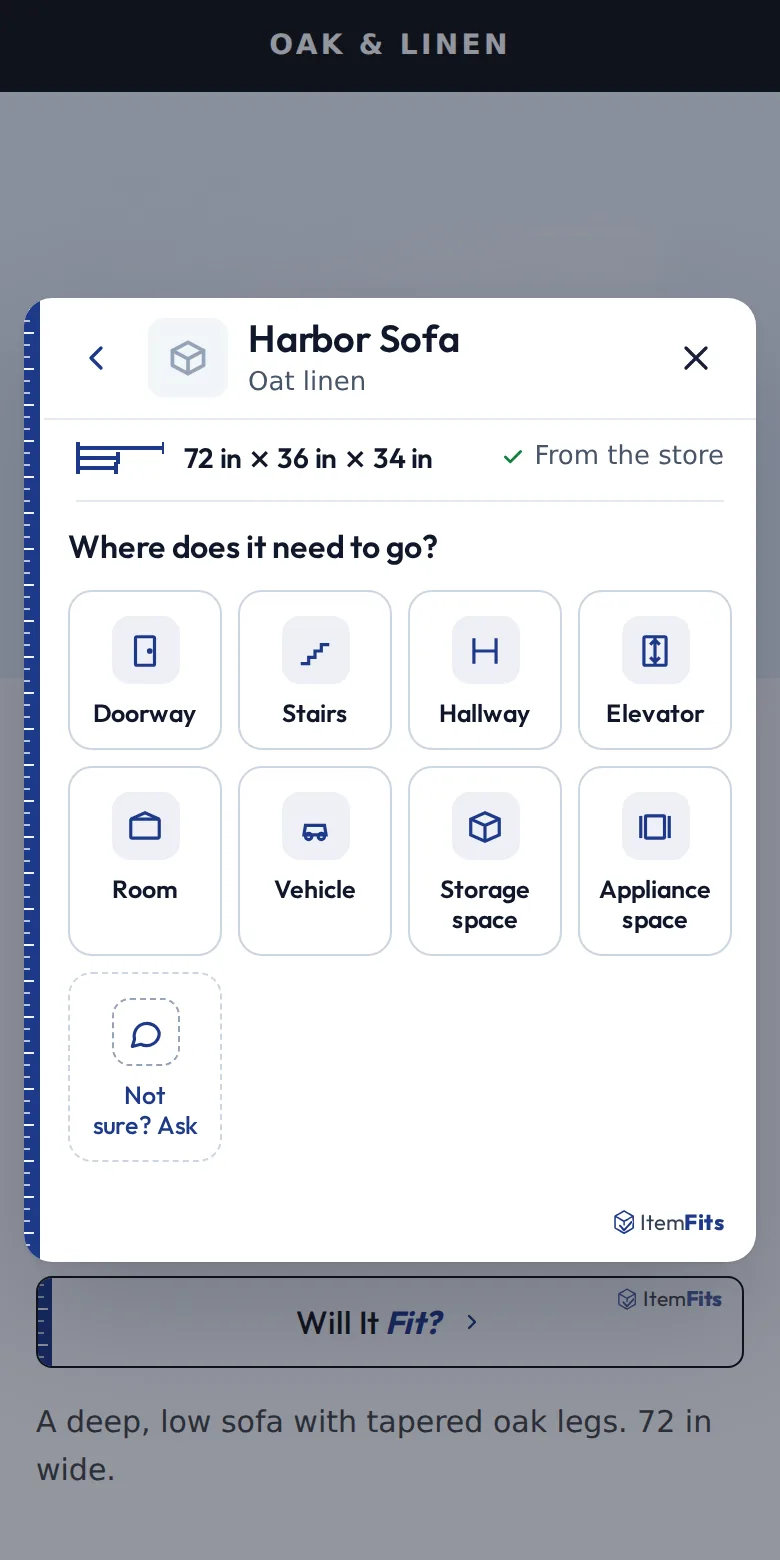
Measure their space. On a product page they tap the Will it fit? button, pick where the piece needs to go (a doorway, hallway, stairs, elevator, room or vehicle) and enter a few measurements, or pick a common size. They can also ask the chat assistant in their own words. They never have to look up the product: it is the one on the page.
How does ItemFits help with furniture returns and failed deliveries?
It is built for the returns and refused deliveries that happen because a piece will not get through a door, up the stairs or into the elevator. Shoppers can check that on the product page before they order, using your product’s own sizes. For your team, the Delivery risk report lists the products that will not get through the doors, hallway corners and elevators most homes have, so you can plan white-glove delivery, fix a size that looks wrong, or tell shoppers the door width they need.
Does a “fits” result guarantee delivery?
No, and ItemFits says so to your shoppers. Every answer links to a short Before you buy note: results depend on the measurements entered, real items and homes can be more complicated than a box, and a fit is not a delivery promise. It is a planning check that helps shoppers and your team catch likely problems before delivery day.
Do I need a developer to install it?
No. ItemFits installs from the Shopify App Store and adds its button, cart check and chat assistant as theme app blocks you place in the Shopify theme editor. Guided setup walks you through reading your catalog, approving sizes and adding the button.
How much does ItemFits cost?
Paid plans are Starter ($99 a month), Growth ($299 a month) and Pro ($399 a month), with a lower effective price when billed annually. The Shopify App Store listing has current prices and plan limits, and Shopify bills the plan with your store’s other app charges.
Which features are on which plan?
Doorway, room and vehicle checks are available on every plan. Hallways, stairs and elevators start on Starter; storage and appliance spaces on Growth; your own store branding (white label) is on Pro. The Delivery risk report and the staff Fit Finder are on every plan.
Does it work in Spanish?
Yes. The shopper experience and the merchant admin are available in English and Spanish. Text you write yourself, such as custom button wording, is set per language.
My store is not on Shopify. Can I still use ItemFits?
The retailer app is built for Shopify. If your store runs on another platform, or you want to talk about a larger partnership, email partnerships@itemfits.com and tell us about it.
More: how ItemFits calculates fit · all ItemFits features · fit-check research · other partnerships